MacBook Pro vs. MacBook Air: Which One Is Good?

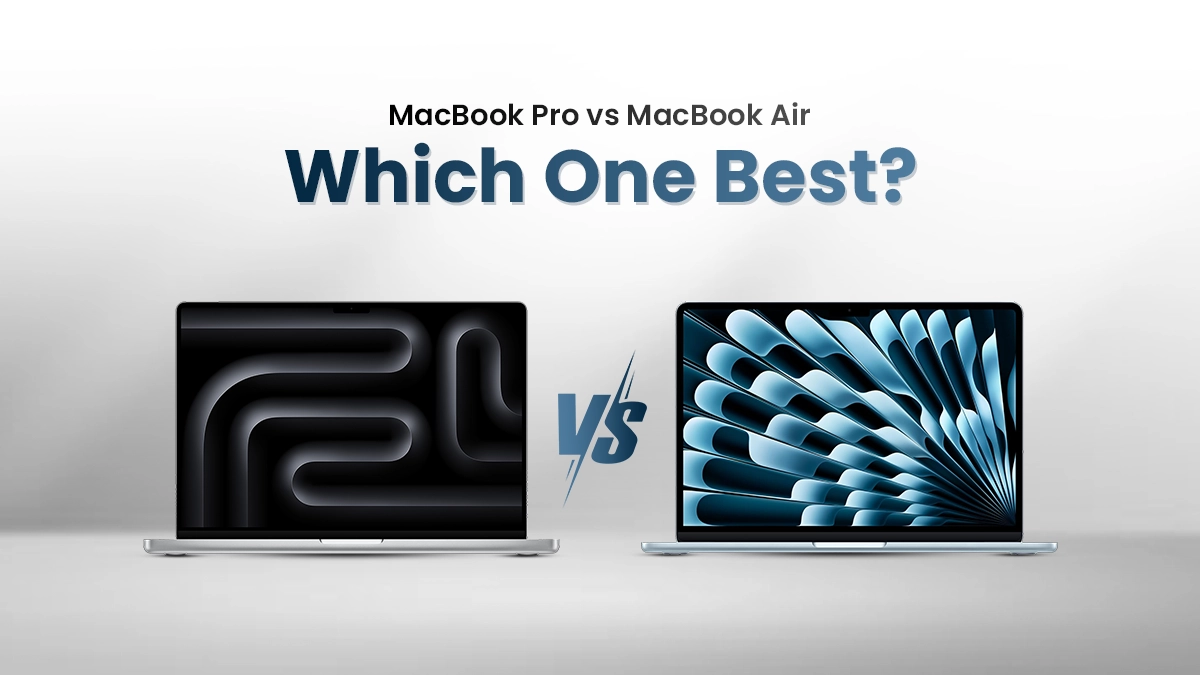
Planning to buy a MacBook in Bangladesh? The big question hits hard: MacBook Pro vs MacBook Air—which one fits your daily grind, budget, and power needs? Apple’s 2025 lineup runs on the zippy M4 chip family, but the choice isn’t just about specs. For BD users—students cramming in Dhaka cafes, freelancers juggling Upwork gigs, or pros editing 4K videos—the decision hinges on price, portability, battery life, and real-world performance.
This guide breaks down the MacBook Air against the MacBook Pro series (14-inch and 16-inch) with Bangladesh-specific insights: local pricing, import duties, warranty hassles, and what Bangladeshi buyers actually need. Let’s dive in.
Why MacBooks Are Worth the Premium in Bangladesh
MacBooks cost more than Windows laptops in BD, but the resale value stays rock-solid. Sell a 2-year-old MacBook Air on Bikroy or Facebook Marketplace—you’ll recover 70-80% of your money. Compare that to a Dell or HP dropping to 40% in the same time. For students planning to upgrade after graduation or freelancers building a side hustle, that’s real savings.
Apple’s ecosystem also clicks in BD. Pair your MacBook with an iPhone (common among urban youth), and AirDrop files from Gulshan to Dhanmondi in seconds. iCloud syncs Notes and Photos across devices—no more “where’s my file?” panic during client calls.
Specification Comparison: MacBook Air Vs MacBook Pro
| Best for most | Big screen value | Portable power | Peak performance | |
| MacBook Air 13 (M4) | MacBook Air 15 (M4) | MacBook Pro 14-inch | MacBook Pro 16-inch | |
| CPU | M4 | M4 | M4, M4 Pro or M4 Max | M4 Pro or M4 Max |
| RAM | Up to 32GB | Up to 32GB | Up to 128GB | up to 128GB |
| Display | 13.6 inches (2560 x 1600) | 15.3 inches (2880 x 1864) | 14.2 inches (3024 x 1964), 120Hz | 16.2 inches (3456 x 2234), 120Hz |
| Ports | 2 Thunderbolt 3/USB 4, MagSafe, headphone | 2 Thunderbolt 3/USB4, MagSafe, headphone | 3 Thunderbolt 4, HDMI, SDXC card, MagSafe, headphone | 3 Thunderbolt 5, HDMI, SDXC card, MagSafe, headphone |
| Graphics | M4 | M4 | M4, M4 Pro or M4 Max | M4 Pro or M4 Max |
| Storage | up to 2TB | Up to 2TB | Up to 8TB | up to 8TB |
| Battery Life (hrs) | 15:42 (tested) | 15:14 (tested) | 18:32 (tested) | 20:46 (tested) |
| Security | Touch ID | Touch ID | Touch ID | Touch ID |
| Size | 11.97 x 8.46 x 0.44 inches | 13.40 x 9.53 x 0.45 inches | 12.3 x 8.7 x 0.6 inches | 14 x 9.8 x 0.66 inches |
| Weight | 1.22 Kg | 1.5 Kg | 1.5 Kg | 2.1 Kg |
Design & Portability
Dhaka’s traffic turns every commute into a battle—rickshaws, CNGs, and sudden rain demand a laptop that’s light and tough. The MacBook Air M4 nails this: 1.24 kg (13″), 1.51 kg (15″), and just 11.3 mm thick. It slips into any backpack, perfect for BUET students rushing between classes or freelancers hopping Uber bikes from Gulshan to Banani. Fanless and silent, it stays cool even in a noisy tea stall.
The MacBook Pro M4 feels premium but heavier: 1.55 kg (14″), 2.14 kg (16″), 15.5 mm thick. That extra weight shows in crowded buses or long walks. It suits video editors or 3D artists parked at desks in Mirpur studios, where sturdier build and active cooling shine.
Winner for BD: MacBook Air. In Bangladesh’s chaotic daily grind, every gram saved means less strain. For most users—students, remote workers, small business owners—the Air’s portability beats the Pro’s bulk every time.
MacBook Air Wins for Mobility
- Weight: 1.24 kg (13″) | 1.51 kg (15″)
- Thickness: Just 11.3 mm—slips into any backpack.
- Best for: Students rushing between BUET classes, freelancers hopping Uber bikes, or digital nomads in Cox’s Bazar co-working spaces.
MacBook Pro Feels Premium but Heavier
- Weight: 1.55 kg (14″) | 2.14 kg (16″)
- Thickness: 15.5 mm – still slim, but noticeable in a crowded CNG.
- Best for: Creators who park at a desk (video editors, 3D artists).
Winner for BD: Air – Dhaka’s chaotic commutes demand lightweight gear.
Read More: Redmi Pad 2 Pro Vs Samsung Galaxy Tab A8
Display: 60Hz vs 120Hz – Does It Matter in BD?
The Air’s 500 nits is bright enough for indoor cafes or evening balconies, handling browsing, Netflix, or light Photoshop smoothly. But the Pro’s 120Hz ProMotion makes scrolling Reels, coding in VS Code, or editing 4K in DaVinci Resolve feel buttery-smooth—lag disappears, boosting focus and flow for creators.
Shooting outdoors in harsh sunlight? Pro’s 1,000 nits SDR (peaking 1,600 nits HDR) cuts glare, letting videographers preview accurately. Air users may need shade.
Pro’s 14″ sharper resolution means crisper text and details for designers. HDR elevates movie nights.
Winner: Pro rules for creators, editors, filmmakers; Air is plenty (and budget-friendly) for students, office work, casual use. Pick based on your grind—120Hz shines when you live in the pixels.
| Feature | MacBook Air | MacBook Pro |
| Panel | Liquid Retina (500 nits) | Liquid Retina XDR (1,000 nits SDR, 1,600 nits HDR) |
| Refresh Rate | 60Hz | 120Hz ProMotion |
| Resolution | 2560×1664 (13″) | 3024×1964 (14″) – sharper |
| HDR Support | ❌ No | ✅ Yes |
Real Talk for BD Users:
- Air’s 500 nits is bright enough for Gulshan cafes or village balconies.
- Pro’s 120Hz feels buttery-smooth when scrolling Reels or editing in DaVinci Resolve.
- Outdoor shooting in bright BD sunlight? Pro’s 1,000 nits wins.
Winner: Pro for creators; Air is fine for everyone else.
Performance: M4 vs M4 Pro
MacBook Air rocks the base M4: 10-core CPU, 10-core GPU, 16GB unified memory min. It flies through browsing 50 Chrome tabs, Lightroom culling 100 RAW shots, or exporting 1080p in Final Cut—render times under 2 mins. For students crunching Excel, coders in Xcode, or streamers editing TikToks, M4 never sweats; battery lasts 15+ hrs.
M4 Pro (14-core CPU, up to 20-core GPU, 24GB+ RAM) unleashes beast mode: 4K multi-cam in DaVinci Resolve exports 40% faster, After Effects ray-tracing previews in real-time, 8K ProRes playback without dropped frames. Heavy creators—video editors, 3D animators, ML devs training models—feel the muscle; thermal headroom keeps fans quieter under load.
BD heat? Both sip power, but Pro’s active cooling sustains peaks longer. Casual users? M4 saves taka. Pros pushing timelines daily? M4 Pro pays off in hours reclaimed. Choose your grind.
All models now start with 16GB RAM minimum—a huge win for multitasking (Chrome + VS Code + Zoom).BD Use Cases:
| Task | Best Fit |
| Coding (VS Code, Python, React) | Air (13″ or 15″) |
| Video Editing (4K, Color Grading) | Pro 14″ M4 Pro |
| 3D Modeling (Blender, Cinema 4D) | Pro 16″ M4 Pro |
| Gaming (Genshin, Resident Evil) | Pro (M4 Pro) – Air struggles at high settings |
Winner: Air for 90% of BD users; Pro only if you’re paid for heavy creative work.
Battery Life: Survive Load-Shedding & Long Flights
MacBook Air with M4 sips power like a pro—up to 18 hours video playback, 15 hours web browsing. That’s a full Dhaka-Dubai flight plus airport delays on one charge, or 3–4 load-shedding cycles while finishing reports in Word, streaming Spotify, or Zoom classes. Even light editing in Photoshop barely dents it; expect 10–12 hours real-world mixed use.
MacBook Pro M4 lasts nearly as long—15 hours video, 12–14 hours heavy multitasking—despite the brighter 120Hz XDR screen. Push 4K editing in Final Cut? Still 8–10 hours. Pro’s active cooling means sustained performance without throttling during long renders, crucial when outlets vanish.
Both charge via USB-C (MagSafe on Pro); 30 mins gives ~50%. In BD’s unpredictable power grid or 12-hour flights, either survives. Air edges casual warriors; Pro fuels creators grinding offline. Pack light, stay powered.
| Model | CNET Test (YouTube Streaming) | Laptop Mag Test |
| Air 13″ | 15 hr 50 min | 15 hr 42 min |
| Air 15″ | 16 hr 41 min | 15 hr 14 min |
| Pro 14″ M4 | 21 hr 59 min | 18 hr 32 min |
| Pro 16″ M4 Pro | — | 20 hr 46 min |
- Air: Easily lasts a full day of classes + Netflix.
- Pro: Can survive Dhaka to London flights without charging.
Winner: Pro – but Air is plenty for daily BD life.
Ports: Stop Buying Dongles!
MacBook Air keeps it minimal: two Thunderbolt 4/USB-C ports, MagSafe charging, 3.5mm headphone jack. Charge on one, connect SSD or monitor on the other—done. No HDMI, no SD card slot. Need more? Grab a 2000 BDT USB-C hub for an occasional projector or card reader. Everyday carry stays slim.
MacBook Pro laughs at dongles: two (14″) or three (16″) Thunderbolt 4 ports, HDMI 2.1, full-size SDXC slot, headphone jack, MagSafe. Plug 8K display direct, ingest 200 RAW shots from camera in seconds, charge simultaneously—no adapters. Videographers, photographers, live streamers save time and clutter.
BD creators on the move? Pro wins. Students, remote workers? Air + cheap hub is plenty. Freedom from dongle life—finally.
| Port | MacBook Air | MacBook Pro |
| Thunderbolt | 2x TB4 | 3x TB4/TB5 |
| HDMI | ❌ | ✅ |
| SD Card | ❌ | ✅ |
| MagSafe | ✅ | ✅ |
| Headphone | ✅ | ✅ |
BD Reality:
- Need to plug into a projector for office presentations? Pro’s HDMI saves your life.
- Photographers transferring RAW files from Sony/Canon? SD slot = gold.
Winner: Pro – fewer dongles = less frustration.
Keyboard, Trackpad & Webcam: Daily Comfort
Both MacBook Air and Pro deliver the iconic Magic Keyboard with crisp backlighting, a massive Force Touch trackpad that feels like glass under fingertips, and a 12MP Center Stage webcam that keeps you perfectly framed during client calls or family video chats—sharp, natural colors, even in dim load-shedding light.
The Pro edges ahead with deeper key travel and a louder, more satisfying click-clack, a joy for writers hammering out scripts or reports. The Air counters with near-silent typing, ideal for late-night study sessions, library work, or quiet cafes without disturbing anyone.
Trackpads? Identical in size and precision—gestures fly, multitasking feels effortless. Webcam performance is equal; both support Desk View and Studio Light effects.
Winner: Tie. Whether you crave tactile feedback or stealth silence, daily comfort is world-class. Your fingers (and ears) decide.
- Both: Magic Keyboard, huge trackpad, 12MP Center Stage webcam (looks sharp on client calls).
- Pro Edge: Deeper key travel, louder click-clack (satisfying for writers).
- Air: Silent typing—perfect for late-night study sessions.
Winner: Tie – both excellent.
Software That Bangladeshi Users Love on MacBooks
- Final Cut Pro: BD YouTubers swear by it—exports 4K vlogs 2x faster than Premiere, no crashes.
- Logic Pro: Local producers craft Bangla fusion beats with zero latency, plugins scream on M4.
- Xcode: Dhaka iOS devs ship global apps, Swift compiles blazing fast.
- Microsoft 365: Word, Excel, Teams run natively—smooth for remote work, classes.
- Canva & Figma: Designers whip up Reels graphics or UI mockups in minutes, GPU-accelerated.
All optimized for Apple Silicon: no Rosetta, full power, cooler temps. From content farms to startup hubs, these apps turn MacBooks into productivity beasts.
All these apps are optimized for Apple Silicon—no Rosetta lag.
Heat & Fan Noise: BD’s Hot Summers
- Air: Fanless → zero noise, but warms up during 4K exports.
- Pro: Fans kick in → stays cooler under load, slight whoosh (not annoying).
In 35°C Dhaka heat, place either on a hard surface. A laptop stand (BDT 800) improves airflow.
Who Should Buy What in Bangladesh?
| User Type | Recommended Model | Why |
| Students (HSC, University) | Air 13″ M4 (16/256) | Light, cheap, lasts all day. |
| Freelancers (Web Dev, Graphics) | Air 15″ M4 (16/512) | Big screen, great value. |
| YouTubers / Video Editors | Pro 14″ M4 Pro (24/512) | Fast exports, HDR screen. |
| 3D Artists / Motion Graphics | Pro 16″ M4 Pro (24/1TB) | Max GPU, Thunderbolt 5. |
| Budget Buyers | Air 13″ M4 | Best BDT-per-performance. |
MacBook Air vs Pro: Bangladesh Verdict
Air (M4, 500 nits, 60Hz) nails daily grind—18-hour battery survives load-shedding, flights, classes; two ports + cheap hub handle 95% tasks. Students, coders, remote workers save 50K+ taka without sweat.
Pro (M4 Pro, 1,000 nits XDR, 120Hz) rules creators: buttery editing in DaVinci, direct SD/HDMI for shoots, sustained power for 4K exports. Worth the premium if you earn from pixels—YouTubers, designers, devs pushing 8K.
Verdict: Air for most Bangladeshis; Pro for pros who bill by the render. Buy what pays your bills.
| Factor | Winner | BD Notes |
| Price | Air | Save 70K+ BDT |
| Portability | Air | Survive BD traffic |
| Performance | Pro | Only if paid for it |
| Battery | Pro | But Air is enough |
| Display | Pro | 120Hz + HDR |
| Ports | Pro | HDMI + SD |
| Value for Money | Air | Most BD users don’t need Pro power |
Final Recommendation for BD Users
Buy the MacBook Air M4 if:
- You’re a student, freelancer, or office worker.
- You want the best bang for your BDT.
- Portability > raw power.
Buy the MacBook Pro M4 if:
- You earn from creative work (video, 3D, photography).
- You hate dongles and love smooth 120Hz.
- The budget isn’t a constraint.
Where to Buy in BD : Mobile Buzz BD
If you’re looking for the best place to purchase the latest smartphones and high-quality gadgets in Bangladesh, Mobile Buzz BD is your ultimate destination. We offer a seamless shopping experience both online through our website, Mobile Buzz BD. And in-store at our physical outlets located in JAMUNA Future Park and Bashundhara City Shopping Complex. Shop with confidence and enjoy top-tier products with exceptional service. We provide authentic products, including this MacBook.