Apple Intelligence vs Galaxy AI

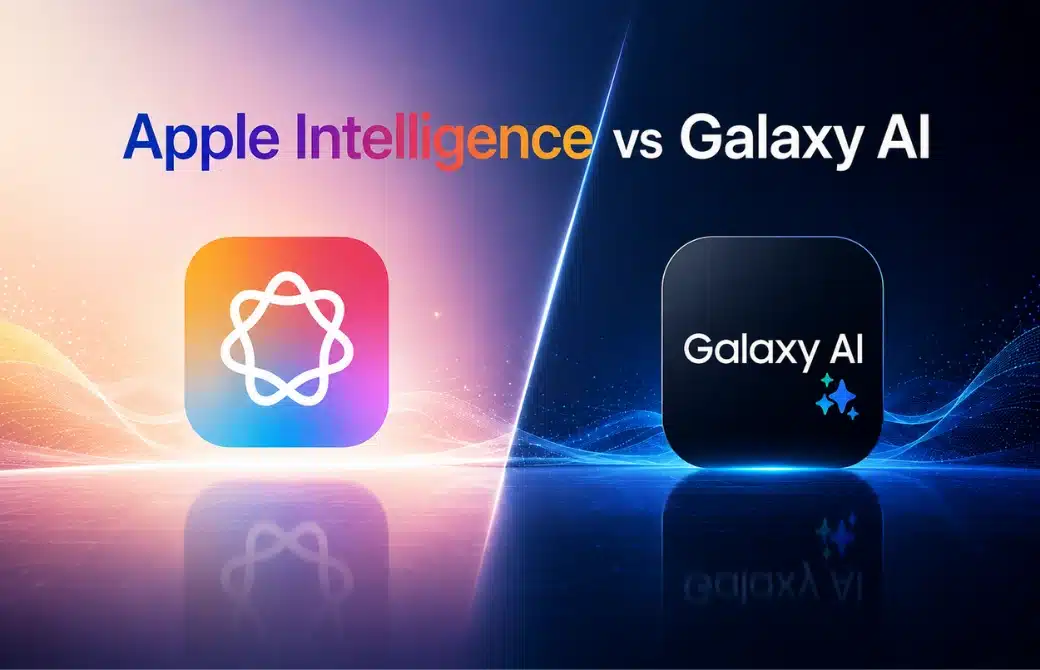
The next smartphone upgrade isn’t being defined by faster processors or bigger cameras; it’s being shaped by artificial intelligence. As Apple Intelligence and Galaxy AI continue to evolve, choosing between an iPhone and a Galaxy device has become a question of which AI better fits your daily life.
AI is changing the roles of ordinary smartphone usage. Draft daily emails and summarize notes, edit images and remove unwanted items, and translate discussions in real time.
Apple highlights privacy and on-device ‘intelligence’ with built-in integration, whereas Samsung utilizes Google’s Gemini inside Galaxy AI to offer a broader suite of productivity and creativity functions. More features don’t mean a better experience for the user. This comparison will reveal how Apple Intelligence and Galaxy AI actually work, beyond marketing. This comparison is geared at writing, editing, translating, privacy, productivity and general usefulness to see which AI platform will be the superior option in 2026.
Understanding How the both AI works
Both Apple and Samsung are investing a lot to optimize their phones in the era of AI revolution.Samsung has chosen one direction and Apple another. Apple has chosen on-device processing and tight ecosystem integration. Because of this focus on user privacy, Apple has little AI functionality outside their devices. On the other hand Samsung has chosen the opposite. It has chosen language, productivity, and especially creativity AI features to integrate among their systems and devices.
Both of these strategies have their IQ. Ultimately, it depends on the consumer how each strategy works.
Apple Intelligence vs Galaxy AI: Quick Comparison
| Feature | Apple Intelligence | Galaxy AI |
| AI Assistant | Siri + Apple Intelligence | Gemini + Bixby |
| Supported Devices | Selected iPhone, iPad & Mac models | Selected Galaxy phones & tablets |
| Writing Tools | Rewrite, Proofread, Summarize | Writing Assist, Composer |
| Photo Editing | Clean Up, Image Playground | Generative Edit, Photo Assist |
| Image Generation | Image Playground, Genmoji | Sketch to Image |
| Live Translation | Messages, FaceTime & Phone | Live Translate, Interpreter |
| Voice Features | Call Recording, Transcription | Call Assist, Transcript Assist |
| Search | Visual Intelligence | Circle to Search |
| Privacy | On-device AI + Private Cloud Compute | On-device AI + Cloud AI |
Samsung Galaxy AI in Real-World Use
Samsung first introduced Galaxy AI tools with the S24 series early in 2024, and the S25 series built on this. Here’s our take on what’s valuable and what’s just advertising.
- Live Translate: Live Translate is the most impressive feature. It translates conversations in real-time with no additional apps on either end for either caller. This is going to be super helpful for anyone who has to meet clients internationally or who has to attend multilingual meetings in places like Lagos. It makes Samsung feel like it’s taking leaps into the future. It’s actually useful.
- Circle to Search: It lets you draw a circle around something on your screen, be it a word or product, and search it. This is powered by Google, and it works.
- Generative Edit: It lets you easily remove things from a picture, adjust people’s placements in pictures, and extend the background in the picture with AI. The quality for the background fill is hit or miss, but for things like social media posts, it works really well.
- Note Assist and Transcript Assist :Note Assist and Transcript Assist automatically summarise your notes and calls. This is useful for helping ensure that you record all your meetings. If you record meetings, this will actually be useful. If not, probably not.
- Chat Assist : lets you write text messages in multiple tones, like formal, polite, and casual. This is useful for business communications.
Unfortunately, to use a lot of the Galaxy AI tools, you have to sacrifice your privacy. The tools run on a hybrid cloud system, which means that for the tools to work the most powerfully, your phone has to be connected to the internet and have to be relying on Samsung’s cloud.
How Apple Intelligence Improves Everyday Tasks
Apple Intelligence launched with iOS 18.1 in late 2024 and has been rolling out features steadily through iOS 18.x and into 19. The architecture is fundamentally different from Samsung’s approach. Started from IPhone 15 pro and 15 pro max
Apple’s primary differentiator is on-device processing. Most Apple Intelligence features run directly on the iPhone’s Neural Engine without sending data to Apple’s servers. For users who value privacy above all else, this is the real story.
- Writing Tools: work across almost every app that accepts text Mail, Messages, Notes, third-party apps. You can rewrite, proofread, summarise, and change tone. The system integration is the strength here; it’s not a separate app, it’s woven into the operating system.
- Priority Notifications: Use AI to decide which notifications matter and surface them first. After a few days of use, it genuinely reduces notification fatigue.
- Image Clean Up: Removes unwanted objects from photos. It’s comparable to Samsung’s Generative Edit for simple removals.
- A deeper Siri: Contextual, app-aware, able to take actions across your phone on your behalf was the headline feature of Apple Intelligence. In practice, the most ambitious Siri capabilities have been slower to ship than promised. What’s available is useful. What was promised is still arriving.
- ChatGPT integration: It is optional: you can route certain Siri queries to ChatGPT when you choose to, with a clear disclosure each time. Apple doesn’t use ChatGPT by default.
Where Apple falls short right now: Samsung has more AI features shipping and working today. Apple Intelligence is building toward something more coherent and more private but “more coherent and private” describes a direction, not always the current experience.
Apple Intelligence: Everything You Need to Know
Apple’s Chief Privacy Engineer, Erin Egan, describes Apple’s data privacy approach as ‘privacy by design’. This is evident in Apple’s ability to keep some features, such as Siri, on-device while still developing strong machine learning capabilities. Apple’s private cloud compute infrastructure is meant to further develop Apple’s intelligence features while still prioritizing user privacy.
Some features that Apple’s Intelligence offers include:
- Rewriting, proofreading, summarizing text via writing tools
- Smart Reply
- Notification Summaries
- Priority Messages in Mail
- Live Translation
- Image Playground
- Genmoji
- Better Siri experience
It is apparent that some of these features were made using the same design principles that Apple products employ. This is also true of the features that are used across the iPhone, iPad, and Mac in the Apple ecosystem.
Where Apple Still Can Improve
- Not supported on older devices
- Some AI features are still being rolled out gradually
- Fewer languages than Samsung
- Less flexible for users who like to customize
Samsung Galaxy AI: A Closer Look
Samsung has chosen a different way
Apple’s thing is simplicity and privacy, Samsung’s is giving us as many useful AI features as possible.”
Many Galaxy AI capabilities are actually pretty beneficial for communication, productivity, and content production.
- Live translation
- Interpreter Mode
- Note Help
- Transcript Assistant
- Photo Assist
- AI-enhanced picture editing
- Call Assist
- Help with Writing
- Studio tools CreativePopular Features of Galaxy AI:
I was really impressed by Samsung’s commitment to backport Galaxy AI features to previous devices throughout my study. Not everyone upgrades every year, and Samsung’s greater device support brings AI to more users.
Another great feature is the language support. Samsung has wider multilingual capability across numerous AI aspects. Samsung has taken a different path.
While Apple emphasizes simplicity and privacy, Samsung focuses on providing as many practical AI tools as possible.
Areas Where Samsung Could Improve
- Some features rely on cloud processing
- Feature availability can vary by region
- User experience can differ between devices
- Bixby still lacks the ecosystem integration Apple offers
Which Ecosystem is Right for You?
Clearly, after examining both AI ecosystems, there is no single winner for everybody. The best one for you depends on what devices you already own and how you want to integrate AI in your daily life.
If you’re already in the Apple ecosystem with an iPhone, Mac, or iPad, Apple Intelligence is the obvious pick. The smooth integration across devices, privacy-first design, and polished user experience make common chores appear straightforward.
But for more AI features, deeper productivity tools, wider device compatibility, and tighter interaction with Google Gemini, Galaxy AI provides more flexibility. Samsung customers will have new AI-powered features to play with, such as Circle to Search, Note Assist, Live Translate and improved photo editing.
Overall, Apple Intelligence feels much more polished and unified, and Galaxy AI is more feature rich and adaptable. Both platforms are far from ideal, yet both platforms become better with each software release. The user is the ultimate winner in this battle between Apple and Samsung, as it is driving the innovation to be speedier and bringing the smartphone AI to life like never before.
Apple Intelligence and Galaxy AI are transforming the way we use our phones, but on their own terms. Apple Intelligence is all about privacy, deep integration with its ecosystem, and a polished user experience Galaxy AI delivers a larger range of AI-based features and more freedom for daily work. If you’re already in the Apple ecosystem, then Apple Intelligence is where it’s at. For present, if you want more AI functionality and customisation, Galaxy AI is the better alternative. The greatest AI platform is the one that works best for you and the way you use your phone.