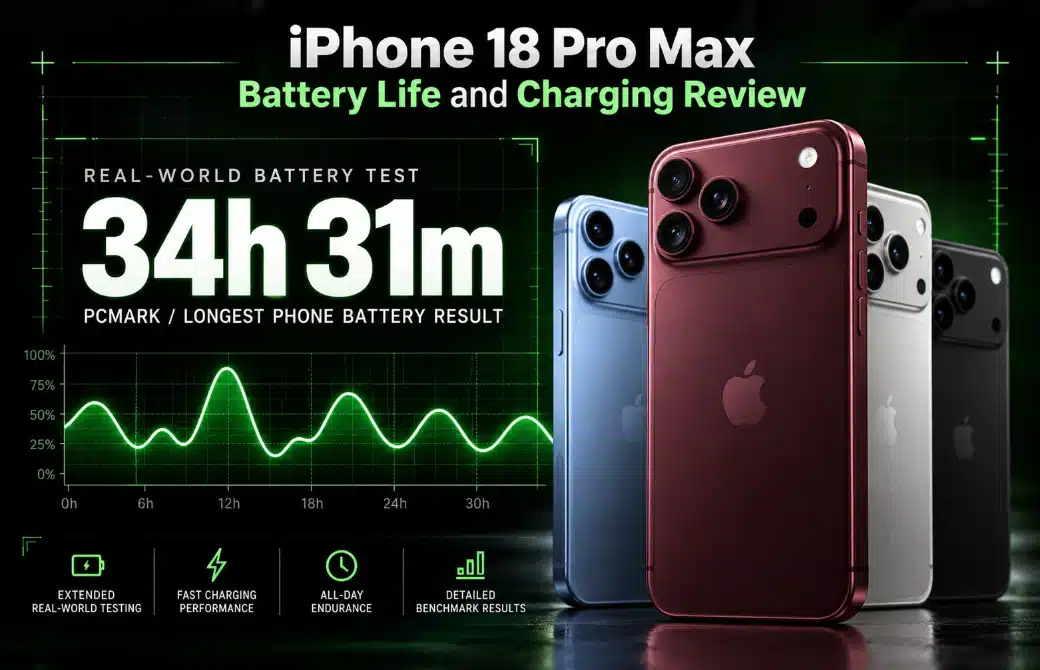
Apple iPhone 18 Pro Max Battery Life and Charging Review

Ever thought you could run your iPhone for up to two long days on just a single charge? Yes, you heard it right! The Apple iPhone 18 Pro Max brings a 500mAh battery upgrade over the iPhone 17 Pro Max. Its battery capacity is 5,391 mAh for the physical SIM version and 5,567 mAh for the eSIM-only version.
This is only possible because of the new Apple A20 Pro 2nm chip! This 2nm chip could improve power efficiency by up to 30% over its older counterparts! Meanwhile, reports suggest faster wired charging reduces outlet time.
However, bigger batteries do not always mean longer Screen-On Time (SOT)! There are several things that matter simultaneously. These include display brightness, demanding games, mobile data, and background apps, which drain power. So, can this iPhone deliver reliable all-day endurance or even last for two days?
This battery review examines video playback, gaming, everyday use, charging speed, and its predecessor to determine. Read on to see whether the iPhone 18 Pro Max matches your needs before purchasing your next smartphone.
Why Proper iPhone Battery Health Matters?
Your iPhone’s battery condition can affect daily driving. A healthy battery helps your iPhone deliver steady power throughout the day. As the battery ages, its maximum capacity drops. So, a proper iPhone battery health really matters in the following way:
All-Day Reliability
A healthy iPhone battery helps you get through daily activities. You can easily do your daily things without constantly searching for a charger. It also reduces the risk of unexpected shutdowns when the battery struggles to deliver enough power. One thing to remember: an aged battery may cause iOS to manage peak performance. This can affect demanding tasks and overall responsiveness. Maintaining good battery health also supports long-term usability.
Work and Productivity
Battery health directly affects how reliably you can use your iPhone for daily work. A battery in optimal condition provides dependable screen-on time (SOT) for demanding tasks. It also helps your phone deliver consistent power during app runtime. While battery health alone does not determine app loading speeds! An aged battery may contribute to performance limits under certain conditions. Managing heat is equally important. Avoid leaving your phone in direct sunlight or running demanding apps, as the device can become excessively hot.
Gaming, Streaming, and Content Creation
Gaming, high-definition streaming, and video recording put continuous demands on your iPhone. A healthy battery helps supply the power these activities need. However, battery health is only one factor behind smooth gameplay. Processor load, graphics settings, software, and temperature also affect frame rates.
When battery condition declines, iOS may limit peak performance in certain situations. Heat can further reduce sustained performance during long gaming sessions. For streaming HD video over 5G or Wi-Fi, a healthy battery provides more usable capacity for extended viewing.
Battery Health and Long-Term Ownership
If you plan to keep your iPhone for three years or longer, battery health deserves particular attention. Rechargeable batteries naturally lose capacity over time. This is especially true with frequent charging and exposure to high temperatures. You can slow this process by enabling Optimized Battery Charging. Also, use a suitable charge limit when practical and avoid excessive heat.
Check Settings > Battery > Battery Health
Or the corresponding menu on your iOS version to review battery condition. Remember, charging to 100% occasionally is normal. The goal is to balance daily convenience with long-term battery care.
Apple iPhone 18 Pro Max Battery Specifications
| Battery Capacity (Physical SIM) | 5,391mAh |
| Battery Capacity (eSIM-Only) | 5,567mAh |
| Battery Type | Li-ion |
| Chipset | Apple A20 Pro (2nm) |
| Video Playback | Up to 45 hours (claimed) |
| Web Browsing | 29 hours 38 minutes (reported test) |
| Gaming | 14 hours 34 minutes (reported test) |
| Wired Charging | Up to 60W (reported) |
| Wireless Charging | Up to 25W MagSafe/Qi2 |
| 0–50% Wired Charging | Around 15 minutes (reported) |
| Full Wired Charging | Approximately 55–68 minutes (reported) |
Physical SIM vs eSIM-Only: Why Does Battery Capacity Differ?
The Apple iPhone 18 Pro Max reportedly offers
- A 5,391mAh battery in the physical SIM version &
- A larger 5,567mAh battery in the eSIM-only model
The primary reason is internal space. A physical SIM tray and its support hardware take up space inside the phone (approximately 13 mm × 10 mm). Removing these components gives Apple more flexibility to fit a larger battery. The difference is 176 mAh, or about 3.3% more capacity than the eSIM-only version.
Notably, this does not guarantee 3.3% longer battery life. Actual endurance also depends on network strength, screen brightness, gaming, and background activity. For Bangladeshi consumers, the physical SIM version may offer greater convenience for quick SIM changes.
Apple iPhone 18 Pro Max Battery Review: Real-World Endurance
With a 5,391mAh battery (for the physical variant) and the efficient A20 Pro 2nm chip, the iPhone 18 Pro Max promises strong endurance. Apple claims up to 45 hours of video playback under its test conditions. However, real-world battery life depends on how you use the phone.
Here is what we found on our test activities:
Video Playback
The iPhone 18 Pro Max reportedly delivers up to 26 hours and 12 minutes of video playback in our battery test with full brightness. Although the numbers are very different. Still, the reported results suggest that you can enjoy media for one day.
Gaming Battery Life
Gaming puts more pressure on the processor, graphics, and display. We found up to 12 hours and 9 minutes of gaming in our test with medium settings on PUBG. However, demanding games, high brightness, and maximum graphics settings can drain the battery faster. Notably, the next-generation stainless-steel vapor chamber helps dissipate heat during intensive sessions.
Web Browsing and Social Media
Browsing results vary considerably. One test reported 17 hours and 13 minutes for social media consumption. Meanwhile, another recorded 29 hours and 38 minutes for typical browsing. We test these performances under the same network connectivity.
Regular Daily Use
For daily calls, messages, navigation, and photos, the iPhone 18 Pro Max could last around 1.5 days on a single charge. Its larger battery and efficient 2nm chipset support this endurance. Light users may stretch a charge further. But gamers and frequent content creators will likely need to charge sooner.
Calling, Standby, and Background Activity
One of our battery tests recorded 31 hours and 23 minutes of calling. However, standby time depends on signal strength, network type, and background activity. Poor mobile reception can increase power consumption as the phone searches for a stronger signal. Background app refresh, location access, and frequent notifications can also drain power. So, turn off unnecessary background activity to save battery throughout the day.
Battery Life Under Heavy Workloads
Heavy gaming, 4K video recording, continuous video calls, and mobile hotspot use can quickly increase power consumption. Heat can also reduce sustained performance and affect battery health over time. But the good news is the iPhone 18 Pro Max uses a next-generation stainless steel vapor chamber. This manages heat better during heavy loads.
iPhone 18 Pro Max Charging Speed Review
The biggest charging upgrade on the Apple iPhone 18 Pro Max is speed. It can reportedly reach 50% in around 15 minutes with a compatible wired charger.
Wired charging
The iPhone 18 Pro Max supports faster wired charging than its predecessors. Apple recommends its 40W Dynamic Power Adapter with a 60W Max for the best results. With a compatible adapter like the 40W Dynamic Power Adapter with 60W Max and a Thunderbolt USB-C cable. By matching the charging standard, Apple claims the phone can reach 50% in around 15 minutes.
Independent testing by GSMArena also supports this improvement. The phone reached
- 50% in 15 minutes
- 81% in 30 minutes, and
- 100% in 55 minutes
In our test, we used a compatible 67W charger. We noticed that the phone drew around 53W during the first 10 minutes of charging. Importantly, charging slows as the battery fills to manage heat and protect battery health.
MagSafe and Qi2 Wireless Charging
Prefer a cable-free setup? The iPhone 18 Pro Max supports up to 25W MagSafe and Qi2 wireless charging. Apple says a compatible MagSafe charger and a suitable power adapter can bring the battery to 50% in around 30 minutes. Your adapter and charging accessories must support the required power level. However, wireless charging generally takes longer than wired charging and generates heat.
iPhone 18 Pro Max Charging Roadmap
| Charging Time | Approximate Battery Level |
| 15 minutes | 50% |
| 30 minutes | 81% |
| 55 minutes | 100% |
Wired vs Wireless: Which Is Better for Everyday Use?
Wired charging is generally a better choice for daily fill-ups. It can deliver a substantial charge during a short break by maintaining heat. However, wireless charging offers tangle-free convenience. Just place the phone on a MagSafe charging pad while working or relaxing. But remember, it may take longer to reach the same battery level, and it may generate more heat due to energy loss.
iPhone 18 Pro Max vs iPhone 17 Pro Max: Battery Comparison
| Specification | iPhone 18 Pro Max | iPhone 17 Pro Max |
| Battery capacity (physical SIM) | 5,391mAh | 4,823mAh |
| Battery capacity (eSIM-only) | 5,567mAh | 5,088mAh |
| Chipset | A20 Pro (2nm) | A19 Pro |
| Video playback (Apple claims) | Up to 45 hours | Up to 37 hours |
| Active use test | 19h 20min | 17h 58min |
| Calling test | 31h 23min | 24h 26min |
| Browsing test | 17h 13min | 15h 33min |
| Video playback test | 26h 12min | 25h 41min |
| Gaming test | 12h 09min | 12h 08min |
| Maximum wired charging power | Up to 54W reported | Up to 42W reported |
| Wired charging after 15 minutes | 50% | 38% |
| Wired charging after 30 minutes | 81% | 65% |
| Fully wired charge | Around 55 minutes | Around 72 minutes |
| MagSafe/Qi2 wireless charging | Up to 25W | Up to 25W |
| Wireless charge to 50% | Around 30 minutes | Around 30 minutes |
Quick Note: The iPhone 18 Pro Max offers a larger battery, better endurance in several tests, and noticeably faster wired charging. However, some results show only small differences in some tests.
Maintain Good Battery Life on Your iPhone 18 Pro Max
A bigger battery does not always mean longer battery life. Your device settings and charging habits also matter. Fortunately, the following are a few simple health guides to help your iPhone 18 Pro Max battery last longer over time:
1. Adjust Battery Settings and Charge Limits
Your charging habits can affect battery health over the long term. Open
Settings > Battery > Charging
and set a charge limit of 80%, 85%, 90%, or 95%, if available. An 80% limit can help reduce battery aging if you usually have access to a charger. Choose a higher limit when you need more power for a long day.
Also, enable Optimized Battery Charging. It learns your charging routine and delays charging beyond 80% until you are more likely to unplug your phone. If available, turn on Adaptive Power to let iOS adjust power use when needed. You can also manually enable Low Power Mode or create an automation in the Shortcuts app to turn it on at a specific battery level.
2. Optimize Display and Visual Settings
The display can consume a significant amount of battery, especially when the brightness stays high. Lower the indoor brightness and set Auto-Lock to 1 minute. If your model supports an Always-On Display, turn it off when you do not need it.
You can also enable Dark Mode. Since the iPhone 18 Pro Max uses an OLED display, dark pixels use less power than bright ones. The actual savings depend on the content you view. If a display setting lets you limit the refresh rate to 60Hz, consider using it when smooth scrolling is less important. Otherwise, keep the default setting and focus on brightness first.
3. Reduce Background Activity and Connectivity Drain
Some apps use power even when you are not actively using them. Go to
Settings > General > Background App Refresh
and disable it for apps that do not need frequent updates.
Next, review
Settings > Privacy & Security > Location Services
Change unnecessary apps from “Always” to “While Using the App,” or select “Never” if location access is not needed. You can also change mail settings from Push to Fetch or Manual to reduce frequent email checks, depending on your needs.
Finally, turn off features such as “Raise to Wake” or “Hey Siri” if you rarely use them. Switch off Wi-Fi or Bluetooth only when you genuinely do not need them. You do not need to disable every connection all the time, as Wi-Fi can use less power than mobile data.
4. Avoid Excess Heat
Heat can speed up battery aging. Avoid leaving your iPhone in direct sunlight, inside a hot car, or under bedding while charging. If the phone gets unusually warm during gaming or charging, pause and let it cool naturally. Also, don’t ever think of placing it in a fridge or freezer.
5. Build a Simple Daily Routine
For better battery life,
- Lower brightness when possible,
- Use Low Power Mode on long days, and
- Keep background activity under control
Set a charge limit that suits your routine rather than forcing an 80% limit when you need a full charge. Check Settings > Battery to identify apps that use the most power.
Is the iPhone 18 Pro Max Worth Buying for Battery Life?
With a battery capacity of up to 5,567mAh, the Apple iPhone 18 Pro Max makes a strong case for users who value long battery life. Its efficient A20 Pro 2nm chip and faster wired charging add even more value. For frequent travelers, gamers, content creators, and busy professionals, the iPhone 18 Pro Max is a compelling choice.
Although existing iPhone 17 Pro Max owners may not need to upgrade solely for battery life. But the larger battery and faster charging offer worthwhile improvements. Overall, if long battery life and quick top-ups are your priorities, the iPhone 18 Pro Max is worth considering. Your actual battery life depends on screen brightness, network conditions, and daily use.