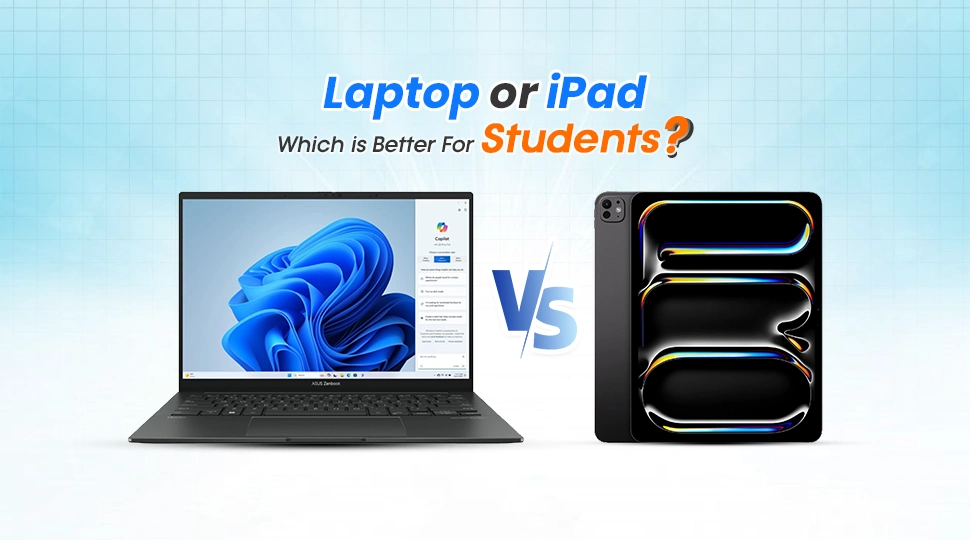
Laptop or iPad Which is Better For Students?

Introduction
Laptops and iPads were quite easy to choose from earlier; one was used for work while the other was used for entertainment. However, 2026 brings about a new perspective where iPads with their recent series of M-series processors and AI-based operating system are more advanced than ever. Nonetheless, laptops still remain irreplaceable when it comes to educational purposes.
Regardless of whether you are a high school student, a university freshmen, or a medical student, choosing the appropriate computer this year will be the most critical tech-related decision that you will make. The following paper compares the two types of devices based on their features and usefulness.
Laptop vs. iPad: Key Differences at a Glance
In 2026, hardware specs are only half the story. The real difference lies in how you interact with the device.
| Feature | Laptop (Mac/PC) | iPad (Pro/Air) |
|---|---|---|
| Productivity | High (Multi-window, Full Office) | Moderate (Mobile apps, Stage Manager) |
| Note-Taking | Typing focused | Handwriting & Stylus focused |
| Software Support | Full Desktop Apps & Coding Tools | Mobile-first Apps & Limited Desktop |
| Portability | Average to High | Extreme |
| Battery Life | 10–18 Hours | 9–12 Hours |
Why a Laptop is Better for Students
Even with the emergence of tablets, laptops remain the ultimate device for educational purposes. Below are reasons why many students require a keyboard and a touchpad:
- Desktop Software: Regardless of whether you are using Microsoft Excel’s entire version or even Adobe’s Creative Cloud, laptops are able to support unrestricted software programs
- Coding and Programming: In the event that you study computer science or STEM-related courses, you have to possess a laptop because compiling code becomes much easier on Windows, Mac, or even Linux operating systems.
- Superior Multitasking: It will be much easier to have several tabs opened while editing a Word document or even having a Zoom video call simultaneously without any system lagging or application refreshment.
- Laptop Storage Capacity: The majority of laptops have more significant internal storage space of 512GB or 1TB compared to their counterparts.
- Ergonomics for Long Assignments: Typing a 3000-word dissertation on a laptop keyboard is much easier than on a tablet screen or folio enclosure.
Why an iPad is Better for Students
The iPad is now the “digital backpack.” For others, leaving their bulky chargers and cables at home might be life-changing.
- Ultimate Note-taking Device: The Apple Pencil turns an iPad into a stack of note pads. You can edit PDFs, create drawings, and even search through your handwriting.
- Superior Mobility: An iPad will easily fit onto any small desk in the lecture hall. It weighs less than most laptops, making it ideal for commuting and walking on extensive university grounds.
- Textbooks in Digital Form: Scanning a 500-page book on medicine is an enjoyable activity on a high-quality ProMotion screen. Highlight text and swipe through pages with ease.
- Freedom to Create: If you’re designing, drawing, or video editing content for social media, the touchscreen and Pencil will give you a feel that no mouse can provide.
- Instant Wake-up Feature: iPads come to life right away. By 2026, thanks to Siri and iPadOS features, you’ll get answers and start doodling faster than waiting for a laptop to start.
Laptop vs iPad for Different Students
Not every major has the same tech requirements. Here is how to choose based on your field of study:
School & Early College Students
During the initial phases of learning, when the main emphasis revolves around consuming information, browsing the internet, and listening to web lectures, an iPad with a keyboard cover is an absolutely brilliant option. The device can be considered a distraction-free “notebook” that is extremely easy to carry from one class to another. In case you spend 70% of your time studying or learning through videos and 30% typing small assignments, an iPad will offer you greater convenience compared to a conventional computer.
Medical & Biology Students
In the realms of medicine or biology, however, there is no contesting the superiority of the iPad. Medical knowledge acquisition involves plenty of visualization; one has to recall various structures of the body, understand their functions, and remember detailed physiological mechanisms and processes. The capacity to draw with an Apple pencil on high-resolution PDFs and draw heart or bone structures in any app, such as GoodNotes, gives a distinct edge over a standard laptop.
Engineering & Computer Science Students
In case you’re taking a technical or STEM course, having a Laptop is not an option, but a necessity. It’s impossible to do any serious work involving compiling large C++ programs, running your own servers, or doing complex 3D renderings using applications like AutoCAD or SolidWorks from your iPad. Mobile OS such as iPadOS does not have the capabilities of managing files and executing software needed for development IDEs such as VS Code or IntelliJ. If your syllabus contains words like “Coding,” “Simulation,” or “Hardware Design,” then you need a laptop.
Creative & Arts Students
The Hybrid Approach becomes a necessity in some creative industries, but a laptop remains preferred when working professionally. For example, if you are mainly engaged in digital illustration or drawing, then the iPad Pro can provide you with the most outstanding digital canvas experience possible. However, for extensive color correction of videos or 3D animation via software such as Maya or Blender, or portfolio management, a Mac or powerful laptop will definitely be needed. Most creative students discover themselves to be using the iPad for “input” and the laptop for “output”.
Business, Finance, and Law Students
If you study business or law, then the Laptop will serve you the best. For business students, Excel dominates their lives, but Microsoft Excel for iPad has limited functions such as macro and advanced pivot tables. As far as law students are concerned, their heavy load of academic work requires typing thousands of words and having multiple research tabs opened side by side. Thus, a laptop would offer better options for multitasking and using a physical keyboard while typing 5,000 word dissertations.
When Should You Buy a Laptop?
It is time to get a laptop if your day-to-day activities include:
- Writing lengthy essays or research papers.
- Working on spreadsheets requiring macros.
- Working with professional software for analyzing data or video editing.
- Requiring more than one port (USB-A or HDMI).
When Should You Buy an iPad?
The following are some instances where it would be best to purchase an iPad if:
- Writing all your notes in class.
- Reading through numerous PDF documents.
- Creating digital art or sketches.
- Traveling regularly with portability as a major consideration.
Buying Guide: Which One Should You Choose in 2026?
When you look ahead to 2026, consider these three points before swiping your card:
- Budget Problem: The “cheap” iPad is not that cheap when you factor in the Apple Pencil and Magic Keyboard. A decent laptop will be cheaper than a full iPad bundle.
- Type of Study: If your field of study is “output-intensive” (typing, programming), then go with the laptop; but if it is “input-intensive” (reading, memorizing), then go with the iPad.
- “One Device” Solution: If you can afford only one device that will last you throughout four years of college, then buy the laptop because it can do what an iPad does, except typing; however, the iPad cannot do everything that a laptop can do.
FAQ
Is an iPad good enough for college students?
Yes, for humanities and social science majors, an iPad with a keyboard can handle most tasks. However, STEM and specialized majors will find it limiting.
Can an iPad replace a laptop for studying?
It can replace a laptop for 80% of tasks, but for the remaining 20% like formatting a formal thesis or using legacy web portals you may still need a computer.
Which is better for note-taking: laptop or iPad?
The iPad is superior for note-taking because it supports handwriting, which is proven to help with memory retention compared to typing.
Do students really need a laptop?
In 2026, most universities still expect students to have a device that runs full desktop versions of browsers and word processors. A laptop is the safest bet.
Laptop or iPad for online classes?
Both work well, but a laptop is slightly better as it allows you to easily view the lecture on one half of the screen while taking notes on the other.
Final Thought
By 2026, the iPad has developed into a highly powerful device when it comes to the category of “Input”. For those whose life depends on attending lectures, writing handwritten notes of organic chemistry, designing or reading hundreds of pages from the digital textbooks, the iPad becomes a much more efficient means than any other device. It is an ideal choice for those who want to learn through interaction.
However, it is not the case with the Laptop. In fact, the Laptop continues being the leader in terms of “Output”. In case one’s academic work involves building something, whether it be a software program, complex excel sheet, writing of long dissertations or creating 3D images, then there is no better device than the Laptop.
Read More