The Complete iPhone Battery Health Guide 2026: Tips, Myths & Best Practices

Should you stop charging at 80%? Is overnight charging harmful? Understanding battery health can help separate facts from common myths.
There are many various pieces of advice to take care of an iPhone battery in Bangladesh. Some say don’t charge beyond 80%, and some think leaving your iPhone plugged in overnight will permanently damage the battery. There are so many perspectives on social media, YouTube, and the local tech communities that it is impossible to tell what works.
What your iPhone’s battery health actually shows is more about how you’ve charged and used it over the long term, not just one charge cycle. In this article, we will discuss what battery health truly means, what percentage is considered healthy, the popular misconceptions you should ignore, and the practical advice every iPhone user in Bangladesh should take to keep their device functioning smoothly for years.
What is iphone battery health
iPhones’ batteries degrade over time. This is a natural process that every other device faces in terms of battery and performance. iPhones use lithium-ion technology for batteries. Whether many phones still don’t use this type of technology for battery. Lithium-ion batteries charge faster, last longer, and have a higher power density for more battery life in a lighter package.
How to check battery health
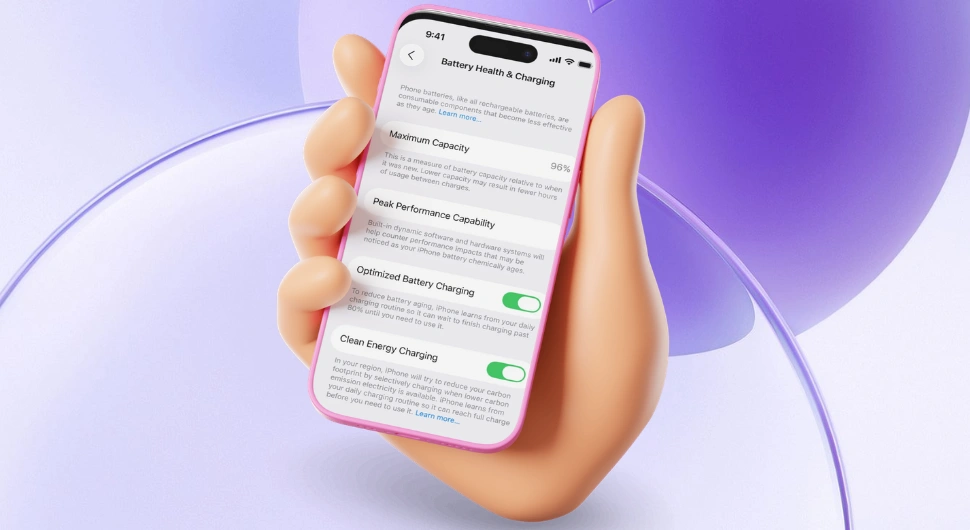
Checking an iPhone’s battery health is easy: navigate to Settings > Battery, and tap on Battery Health (or Battery Health & Charging).
You’ll see a percentage labeled Maximum Capacity, indicating how much your battery remains compared to a new one. If this drops below 80%, you should consider replacing the battery.
Battery Lifespan
Battery health is influenced by charging behavior, temperature exposure, and other factors. In general different usages lead to different lifetimes:
- Normal usage: Battery health generally falls below 80% in 1 to 2 years, and replacement is advisable.
- Heavy use: Frequent recharging promotes degradation.
- Light use: With excellent practices, a battery can last 3 years or more.
View Daily Usage information
- Similar or lower usage: Shows when your battery use is about the same as usual or less than usual by this time of day (in blue). When usage is similar, iPhone highlights the top three apps or system activities contributing to today’s usage.
- Higher usage: Appears when you’ve used more battery than usual by this time of day (in orange). iPhone highlights the top three apps or system activities that may explain the increase.
View additional Battery Usage information
To see detailed battery usage information, including which apps are using the most battery, how long your screen has been on, and battery activity for the past 24 hours or past 10 days, go to Settings > Battery. This will allow you to view apps that are draining your battery quicker than they should.
Check Your iPhone’s Charging History
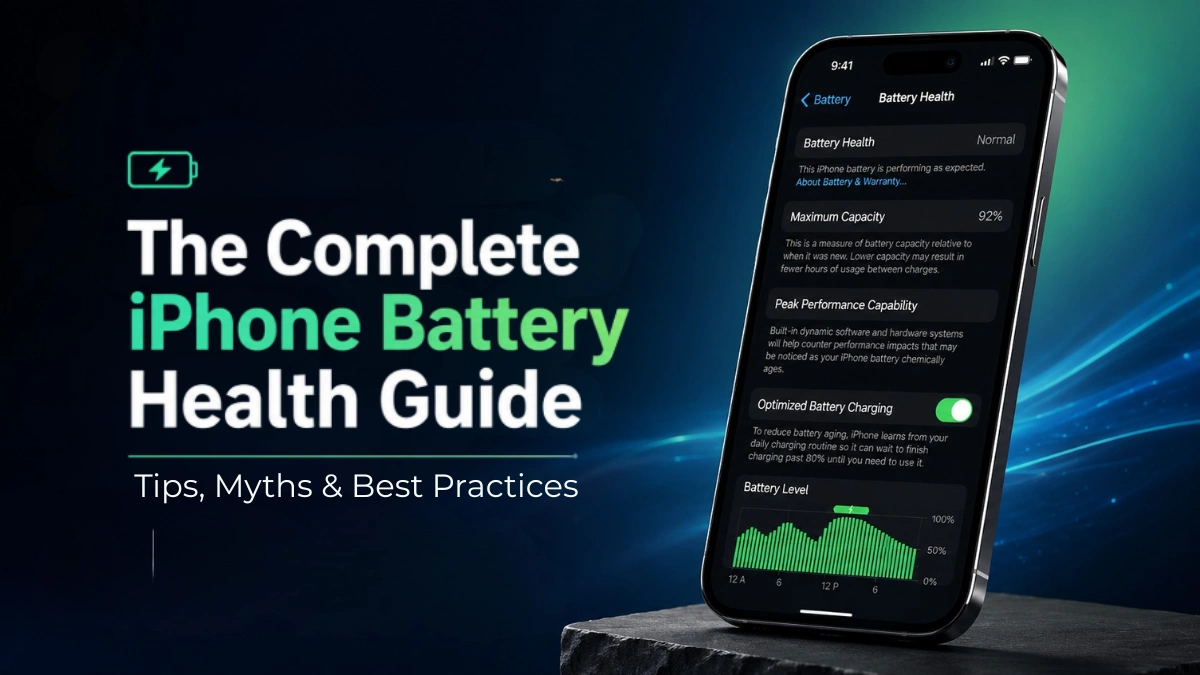
You can check the iPhone’s charging history and battery information over the past 10 days from settings. This includes when your phone is plugged in, disconnected, and at a percentage in every phase.
To see this info you have to go the path
settings > battery > daily usage graphs to see your battery level throughout the day.
Active low power or flight mode
Consider turning on Low Power Mode or Flight Mode while your iPhone charges to extend its battery life in a pinch. Low Power Mode minimizes background activity to save energy. Similarly, turning off network connections in flight mode will hasten charging. These charging modes make your iPhone more effective, especially when you urgently require a power boost.
Optimize your settings
However you use your device, there are two simple things you can do to help save battery life: Adjust your screen brightness. Use Wi-Fi
To extend battery life, dim the screen or use auto-brightness.
Dim: Pull up Control Center and drag the Brightness slider all the way down. Auto-Brightness automatically adjusts your screen to the lighting conditions. To enable it, go to Settings > Accessibility.
Tap Display & Text Size. Enable Auto-Brightness. A Wi‑Fi connection uses less power than a cellular network, so keep Wi‑Fi on at all times when you connect your device to the internet.
Settings > Wi-Fi to connect to a Wi-Fi network. To turn on Wi-Fi.
The Science Behind iPhone Battery Aging
As lithium-ion batteries age chemically, the amount of charge they can hold decreases, leading to shorter amounts of time before a gadget needs to be recharged. This is called the battery’s maximum capacity. The measurement of battery capacity when it was fresh. The ability of the battery to offer maximum immediate performance, or peak power, could also be reduced. For a phone’s electronics to work correctly, they need to be able to draw quick power from the battery. The impedance of the battery is one factor that influences this rapid power supply. If the battery impedance is high, then there may not be enough power available to the system requesting it. If a battery is older chemically, it can have increased impedance. The impedance of a battery will increase temporarily at a low state of charge and in a cold temperature environment. The impedance increase will be more pronounced in combination with a higher chemical age. These are properties of battery chemistry as found in all lithium-ion batteries throughout the industry.
Thermal Management for iPhones’ Battery
Many individuals don’t know the effect temperature has on their iPhone’s battery health. Batteries do degrade over time, but if you subject your iPhone to excessive heat or cold, it will speed up that degradation and temporarily limit battery performance.
Why Temperature Matters
iPhones employ lithium-ion batteries that work optimally at moderate temperatures. If the battery gets too hot, the chemical reactions within speed up, and the battery degrades more quickly. However, extremely cold temperatures might temporarily lower battery capacity, causing your iPhone to appear to deplete more quickly until it heats up again.
How El Niño and Extreme Heat Affect Battery Health
Bangladesh’s strong summer heat is not uncommon, although temperatures can be particularly extreme during El Niño years. If you leave your iPhone in full sunlight, use it outside for a long time, or play games while charging on a hot day, the gadget might heat up fast.
Too much heat may lead to the following:
- Faster battery depletion
- Slower charging speed
- Automatic lowering of screen brightness
- Temperature control with throttling performance
- Faster Battery Health degradation over time
If your iPhone gets too hot, iOS may stop charging or reduce performance until the iPhone cools down.
Recommended Operating Temperature
Apple advises that you operate your iPhone in ambient temperatures of 0°C to 35°C (32°F to 95°F). This spectrum is great for battery health and device reliability.
Using Your iPhone During Summer in Bangladesh
Outdoor temperatures in Bangladesh during the summer months can frequently approach 35°C, particularly in heatwaves. To decrease heat build-up: Do not leave your iPhone in direct sunlight. If the phone seems particularly hot when charging or gaming, take it out of a bulky case. Do not charge the device in a parked automobile or under direct sunlight. If the phone feels warm, let it cool down on its own before charging.
Using Your iPhone During Winter
Although the winters in Bangladesh are generally mild, travelers to colder areas may find the battery draining more quickly. Low temperatures temporarily impair the battery’s ability to transmit power, but performance normally returns to normal after the iPhone heats back up to room temperature.
Storage Temperature
If you plan to store your iPhone for long periods of time, Apple suggests that you store it in an environment between -20°C and 45°C (-4°F to 113°F) . To help keep the battery healthy, charge the battery to 50%** or so before turning the device off for long-term storage.
Key notes
Summers in Bangladesh may be blisteringly hot, and there can be occasional cold spells during travel. Keeping your iPhone in the temperature range recommended by Apple is one of the simplest things you can do to safeguard your battery health. Avoid extreme temperatures whenever you can. Your iPhone battery will last longer and perform better.
Finally, battery health is not just a percentage; it’s a reflection of your overall battery’s health and condition. It plays a key role in performance, battery life, and long-term reliability. You can save your battery from draining quickly by following some basic routines, like healthy charging habits, avoiding excessive heat, and understanding how battery health works. You can slow down battery aging and get the most out of your iPhone. Instead of worrying about every percentage drop, focus on developing good charging habits to keep your iPhone running smoothly. If you are an Android user and concerned about battery health, you can read our Samsung Battery Tips Guide.
Frequently Asked Questions (FAQs)
1. What is a good battery health percentage for an iPhone?
A battery health of 90% to 100% is considered excellent and indicates that your iPhone’s battery is still in very good condition. Even 85% or higher is generally suitable for most users and should provide reliable daily performance.
2. At what battery health should I replace my iPhone battery?
Apple recommends considering a battery replacement when the maximum capacity drops below 80%, as battery life and performance may begin to decline noticeably.
3. Is it safe to charge my iPhone overnight?
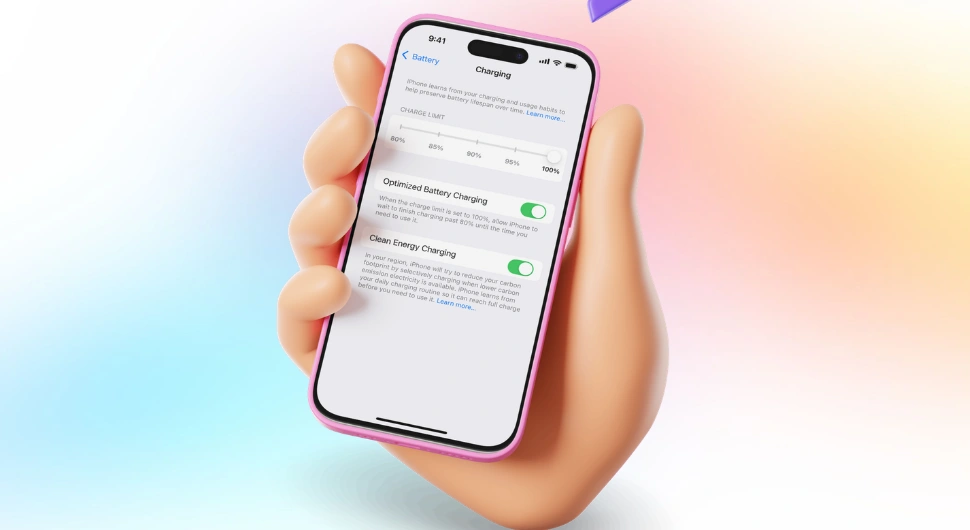
Yes. Modern iPhones support Optimized Battery Charging, which helps reduce battery aging by delaying the final stage of charging until you need to use your device. Overnight charging is generally safe when using a quality charger.
4. Does fast charging reduce iPhone battery health?
Fast charging generates more heat than standard charging, but when you use Apple-certified or MFi-certified chargers, your iPhone automatically manages charging speeds to protect the battery. Under normal conditions, fast charging has minimal impact on long-term battery health.
5. Why is my iPhone battery draining so quickly?
Rapid battery drain can be caused by low battery health, high screen brightness, background app activity, poor network coverage, location services, or demanding apps such as games and video editing software. Checking Settings → Battery can help identify which apps are using the most power.