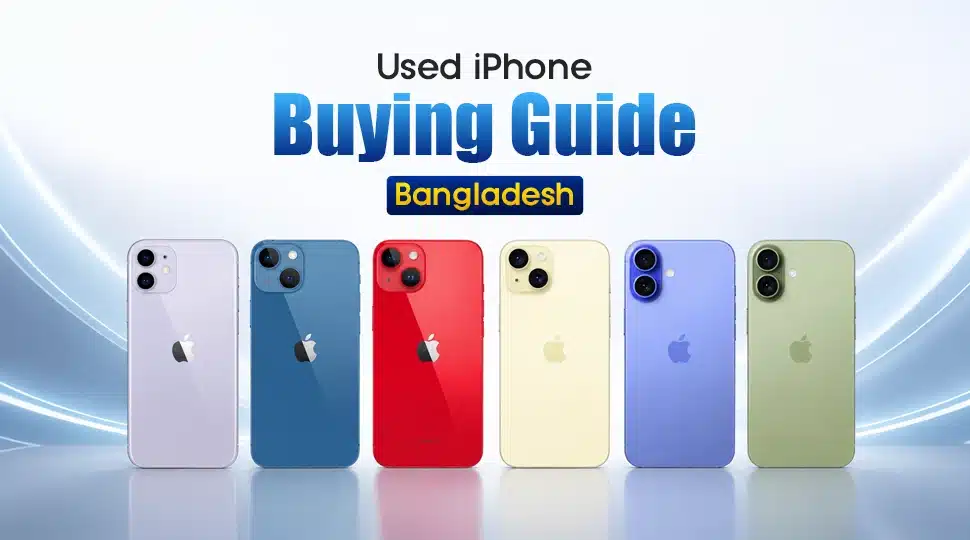
Used iPhone Buying Guide Bangladesh

A used iPhone in Bangladesh can look like a bargain in the first five minutes and become an expensive mistake after five days. The biggest trap is not always a cracked screen or a weak battery. A used iPhone can look almost flawless while hiding the following:
- Replaced parts
- Activation Lock issues
- Poor battery health, or
- a hidden repair history.
That is why buying a used iPhone in Bangladesh requires more than checking the model and price. Before you hand over your money, you need to know what is inside the phone. Whether the parts are genuine, and whether the asking price matches their condition. A low used iPhone price in Bangladesh may look attractive, but repairs can cost much more.
Most importantly, you’ll get a practical used iPhone condition check to follow before paying. So, whether you are hunting for an affordable older model or an Apple Pro Max flagship, don’t let a shiny body and tempting price make the decision for you.
Our used iPhone buying guide in Bangladesh takes you beyond the usual “check the screen and battery” advice. You’ll learn how to perform a thorough check on a used iPhone to ensure your purchase is valuable. So, check first, pay later!
Why Buy a Used iPhone in Bangladesh?
A new iPhone can be expensive, but you don’t always have to pay full price. That is where a used device buyer can find real value. A well-maintained used model can offer strong performance, an excellent camera, and years of software support at a lower cost.
1. Less Money
One of the biggest reasons to buy a used iPhone in Bangladesh is simple: you can move up to a better model without stretching your budget. Instead of buying a brand-new entry-level phone, you may find an older Pro or Pro Max with better specs. Notably, comparing second-hand iPhone prices across different models can help you find more features for your money.
2. Long-Term Software Updates
Apple usually supports iPhones with software updates for many years. So an older iPhone can still feel modern long after its launch. This makes used models a practical choice for long-term buyers. However, before buying, check the model’s current software support and follow an iPhone battery health guide. This will help you understand how well the device holds up.
3. Better Camera and Performance
A used flagship can deliver a surprisingly strong camera and processor for its price. Older Pro models can still handle photography, gaming, and video editing smoothly. If your budget is limited, checking the best used iPhone in Bangladesh might help you find one that offers more performance.
4. Better Resale Value
iPhones often remain desirable on the second-hand market after several years. A clean device with a good, healthy battery, original parts, and proper care can be easier to resell later. Despite depreciation, a well-maintained iPhone may retain more value than comparable smartphones. That makes a used iPhone not just a purchase, but a smarter long-term spending choice.
Used iPhone Price in Bangladesh
The used iPhone price in Bangladesh can vary widely for the same model. Following is a table to give you an idea about what the price range can be:
| Model | Asking Price Range | Best For |
| iPhone 11 to upgrade | ৳18,500 – ৳34,000 | Budget buyers |
| iPhone 13 to upgrade | ৳36,000 – ৳48,000 | Best value |
| iPhone 14 to upgrade | ৳44,500 – ৳90,000 | Balanced use |
| iPhone 15 to upgrade | ৳55,000 – ৳110,000 | Newer features |
| iPhone 16 to upgrade | ৳62,000 – ৳120,000 | Long-term use |
| iPhone 17 to upgrade | ৳80,000 – ৳160,000+ | Flagship experience |
Used iPhone Buying Guide in Bangladesh: Essential Checklists
Used iPhones can be almost impossible to spot from a few photos. Surprisingly, even a phone that looks “10/10 condition” may have a replaced display, an opened body, water exposure, or a weak battery.
Use the following checklist before you pay.
Check the Body Itself
Start with the frame, back panel, ports, buttons, and joints. Look for deep dents, bends, gaps, or uneven fitting around the display and back shell. Test every button and port to make sure they work properly.
Pay particular attention to the display-to-frame and back-shell joints. If you notice unusual gaps or glue signs, the phone may have been opened before.
You can also remove the SIM tray and gently blow air through the opening. If air escapes noticeably from another part of the body, it can indicate that the phone was opened or that its original sealing has been disturbed.
Note: This is only a practical warning sign, not a guaranteed waterproofness test. Never assume a used iPhone remains water-resistant after repair.
Check All Cameras
Open the front and rear cameras and test every available lens. Take photos, record video, test autofocus, and check the flash. Look closely at the camera viewfinder for unusual dust, fog, or moisture inside the lens.
If persistent dust or fog appears inside a camera module, treat it as a warning sign. It can indicate that the phone was opened or the camera was serviced before.
Check the Display
A display can look perfect at first glance and still have serious problems. Open a white, black, and colorful image to check for burn-in, bright spots, dark spots, lines, or dead pixels. Then test the entire touchscreen by typing and swiping across every corner.
You can also test touch response with an app icon. Press and hold an app and move it around the screen. If the phone behaves unexpectedly or removes the app instead of allowing normal movement, test that area again.
A damaged touch layer can cause such problems. Also check True Tone. If the display has been replaced, True Tone may not work correctly. However, this can vary by repair and device.
Check for Water Damage
Remove the SIM tray and look at the liquid contact indicator inside the SIM-tray area, where applicable. Normal indicators are white or silver/grey. If it has turned red or pinkish, treat it as a strong warning that the phone has been exposed to liquid.
Check iCloud and Activation Lock
Activation Lock is one of the biggest risks when buying a second-hand iPhone. Apple specifically advises buyers not to purchase an iPhone if the activation lock is enabled.
Ask the seller to remove their Apple account and erase the phone. Then start the setup process yourself. If the iPhone asks for the previous owner’s Apple account during activation, stop the purchase. The phone is still linked to the previous owner.
You can also note the serial number and use Apple’s official coverage page to check the device’s available information. However, a coverage check does not replace the activation lock test. The actual setup process is the important final check.
Check Battery Health
Battery condition can significantly affect the actual value of a used iPhone. Check used iPhone battery health from Settings → Battery → Battery Health & Charging. Look at the maximum capacity and any battery-related service messages.
For a deeper inspection, some buyers use 3uTools on a laptop to compare battery information and cycle count. It may also provide additional information on devices and components. However, do not rely on third-party software alone. Apple’s own parts and service history is the safer way to check supported repair information.
| Battery Cycle Count | General Condition | Buying Advice |
| Below 300 | Very good | Excellent if other checks pass |
| 300–500 | Good | Generally worth considering |
| 500–800 | Average | Check battery health and price carefully |
| 800+ | Heavily used | Consider the cost of a future battery replacement |
Check IMEI & BTCL Status
Before buying any used iPhone, verify its IMEI with BTRC. This helps you check the handset’s validity before payment.
Type:
KYD [space] IMEI number >> Send the SMS to 16002
BTRC confirms that this method can be used to verify a handset’s IMEI status. You can also use the BTRC NEIR service to check the phone’s status. Never skip this step simply because the seller provides an IMEI number. Check it yourself.
Reset the iPhone Before Payment
Never make the final payment before the seller resets the phone. Ask them to erase all content and settings while you are present.
Then start the setup process yourself. The ideal result is that you reach the Hello screen and can continue the setup without being asked for the previous owner’s Apple account. Apple recommends completing this process before taking ownership of a pre-owned iPhone.
Trusted Places to Buy a Used iPhone in Bangladesh
For a safer used iPhone purchase in Bangladesh, choose a seller where you can inspect the device, ask questions, and receive reliable after-sales support.
- Buying from a Physical Store – Mobile Buzz BD: Visit Mobile Buzz BD to inspect the iPhone before making a purchase. You can ask about available warranty and replacement options.
- Buying Online – Mobile Buzz BD: If visiting a store is not convenient, you can order your preferred iPhone from Mobile Buzz BD online. For an easy ordering process, contact the Mobile Buzz BD hotline: 09613-668844. Share the model you want, confirm the available condition and price, and complete your order from home.
Watch Out for the Following
When buying a used iPhone price deal, never let urgency replace basic verification. A few simple checks can protect your money and save you from legal or repair-related trouble.
- Watch Out for Fake or Stolen iPhones: Avoid buying one, even if the price looks tempting. A stolen device can create serious police or legal trouble later. Buying from a trusted shop is generally safer. If you buy from an individual, record a clear video of the transaction. Collect a photocopy of the seller’s NID along with a job or student ID, where appropriate. In the video, ask the seller to confirm that the phone is his. Also, ask them to state the IMEI number, how many months they have used it, and whether the phone has ever been repaired. If you are purchasing person-to-person, request the original box and verify its details against the device. Complete an iPhone IMEI check before paying.
- Don’t Fall for Too-Good-To-Be-True Prices: A price far below the typical used iPhone price in Bangladesh should immediately raise an alarm. The phone may have a replaced display, a weak battery, damaged Face ID, water damage, or other hidden problems. Compare several listings before deciding. If the seller pressures you to pay quickly or refuses to provide proper testing, walk away.
- Inspect Every Part Before You Pay: Never judge a used iPhone by its body alone. A complete used iPhone check can reveal problems not visible at first glance. Stop, inspect, and test everything before spending your money.
FAQs
Is buying a used iPhone worth it in Bangladesh?
Yes, buying a used iPhone can be worth it in Bangladesh if you choose carefully. You can get a high-end model at a lower price than the latest one.
What battery health is good for a used iPhone?
For a used iPhone, 85% or higher battery health is generally a good target. A battery at 90%+ is excellent, while 80–84% can still be usable if the price is right. If it is below 80%, consider the cost of a battery replacement before buying.
Is a used iPhone better than a new mid-budget Android phone?
It depends on your priorities. A well-maintained used iPhone can offer better specs than a new mid-budget Android phone.
Should I buy a used iPhone without a warranty?
You can, but it is usually safer to buy a used iPhone with a warranty or replacement guarantee. Without a used iPhone warranty, you may have to pay for hidden issues.